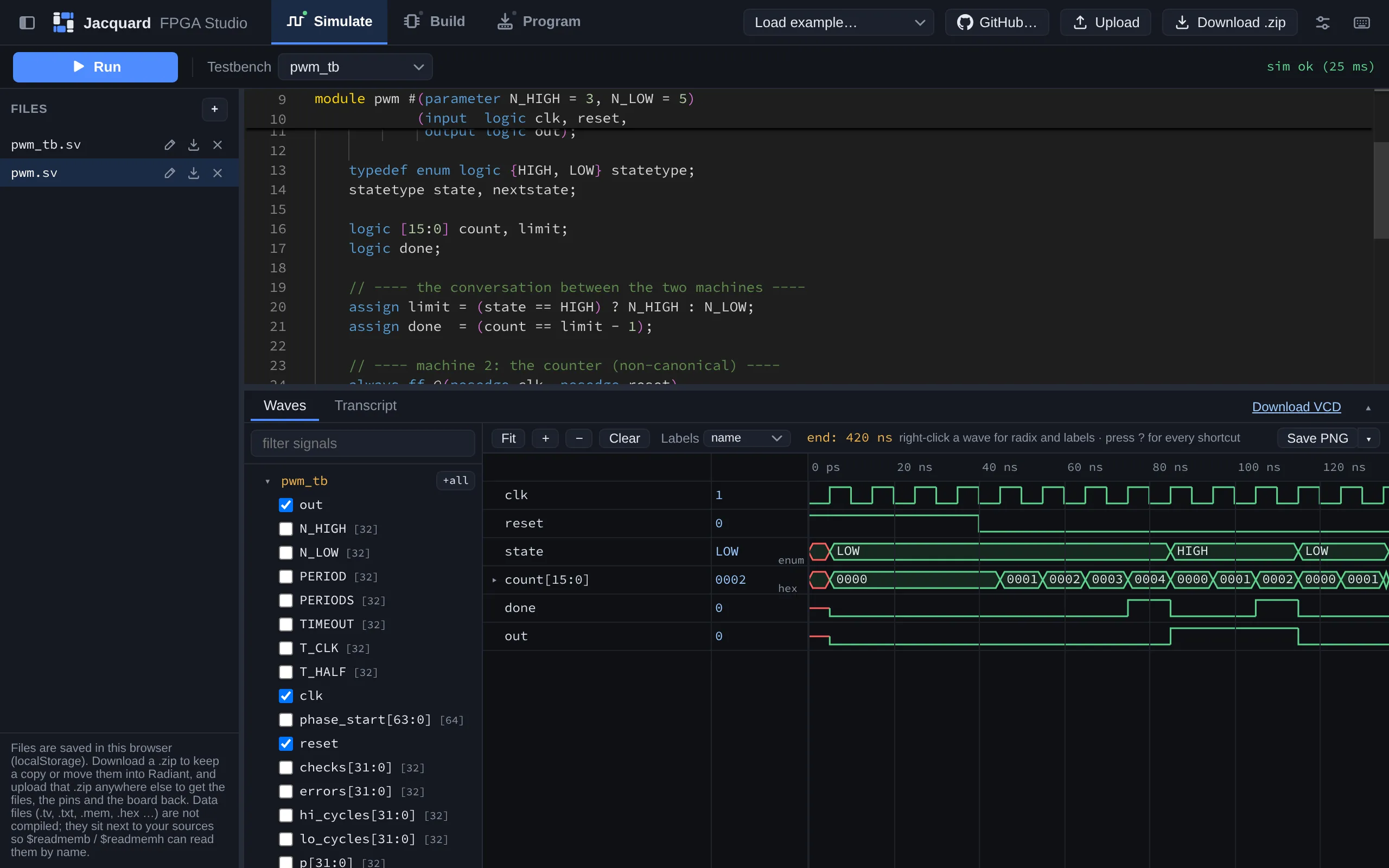
Joseph Jacquard’s loom read punched cards to weave a pattern. This one reads SystemVerilog and
weaves a bitstream.
Jacquard is a browser-based SystemVerilog simulator and FPGA synthesis tool I built for my
digital design students at Harvey Mudd. Students can write their design, simulate it against a
testbench, build a bitstream, and program their iCE40 UP5K board without installing or
licensing QuestaSim or Lattice Radiant.
What it does
- Simulate. One click compiles and runs the testbench. Compiler errors link straight to the
line in the editor, and
PASSED and FAILED are highlighted in the transcript.
- Read the waves. A built-in waveform viewer with zoom, cursors, and per-signal radix.
Enumerated states show up by name (
HIGH, LOW, S2) the way QuestaSim shows them, not as
raw bits.
- Build. Synthesis, place-and-route, and pin assignment for the iCE40 board, using the open
Yosys and nextpnr toolchain on the server.
- Program. The bitstream goes straight from the browser to the board over WebUSB.
How it’s built
The editor, waveform viewer, and USB programmer all run in the browser. Icarus Verilog and the
Yosys/nextpnr toolchain run on a small server, each run in its own sandboxed directory with time
and output limits, so a whole class can hammer on it at once.